How can I Delete My data and My acccount?
For FullChinese Pro App of Gammakite inc. , you could always delete your account or data anytime.
If you want to delete your account, along with all your data, you could delete your account from the IOS app, or from the fullchinese.com website, but keep in mind that once delete Your account, all your data including the texts , posts, saved cards, saved books, and the joined classes etc would be delete immediately, they couldn't be recovered.
Before delete your account, have to unsubscribe first if you have been subscribed with a paid plan.
If you want to delete your account, along with all your data, you could delete your account from the IOS app, or from the fullchinese.com website, but keep in mind that once delete Your account, all your data including the texts , posts, saved cards, saved books, and the joined classes etc would be delete immediately, they couldn't be recovered.
Before delete your account, have to unsubscribe first if you have been subscribed with a paid plan.
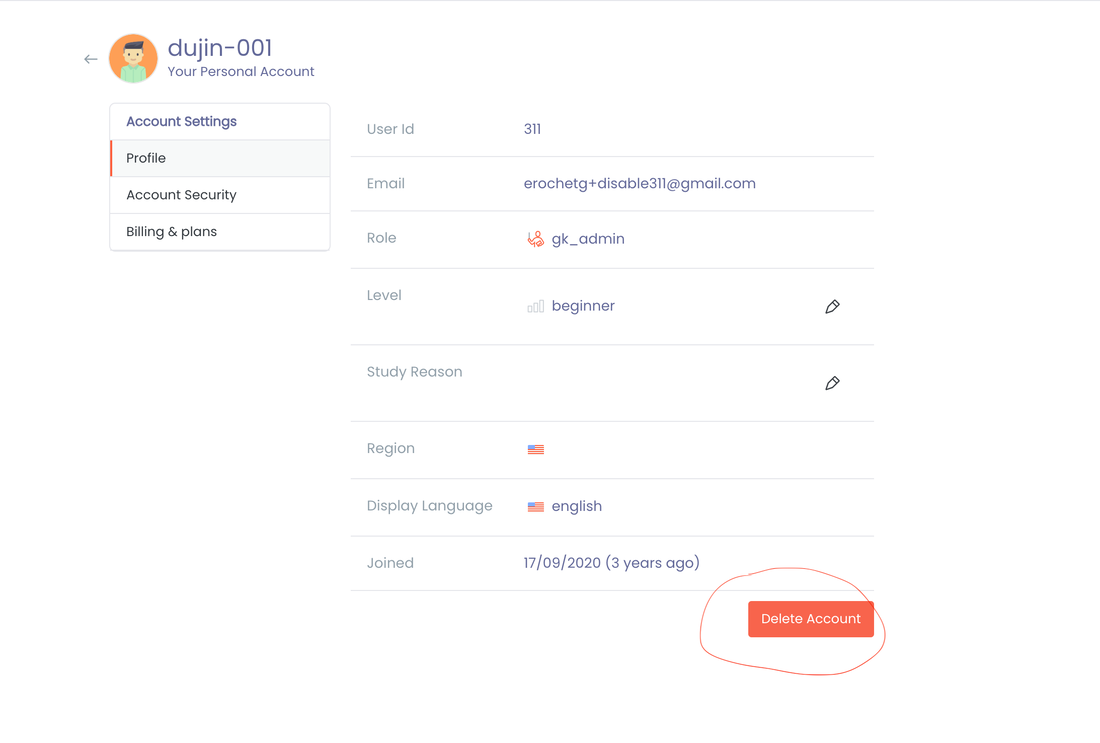
To delete your account from the website

- Go to fullchinese.com and Login
- Select the menu next to the avatar icon
- click the settings button.
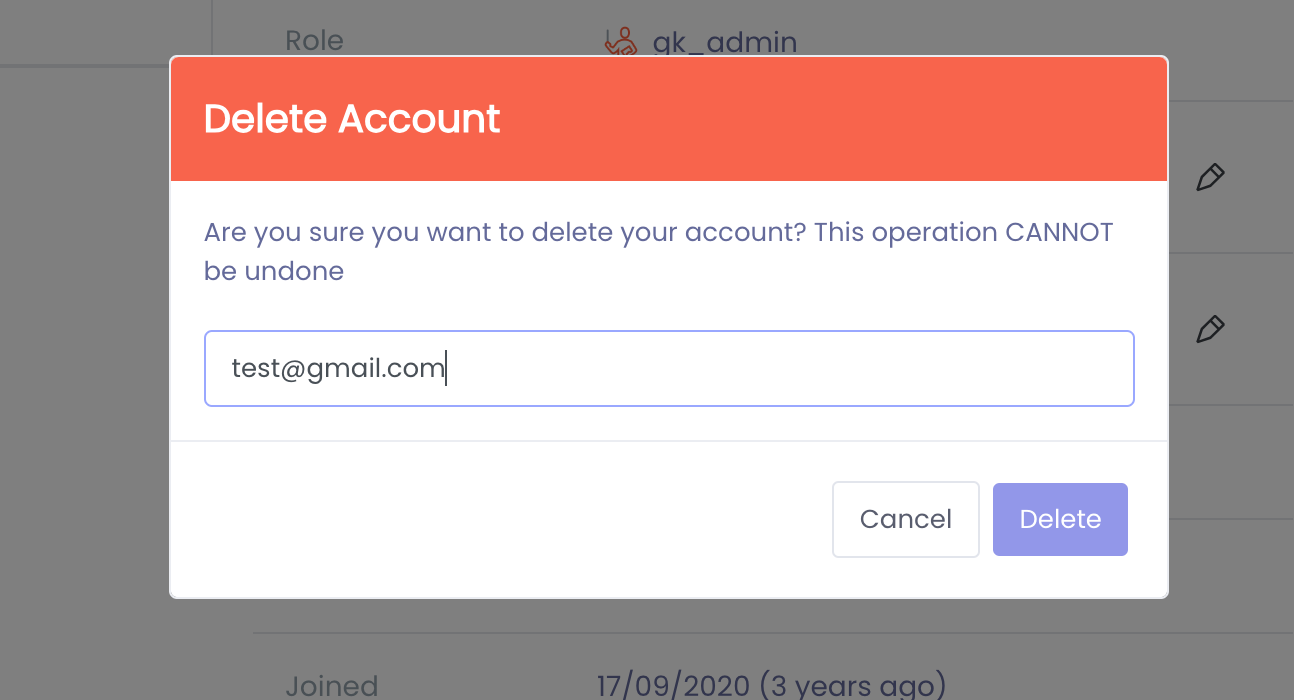
4. Click the "delete account" button, and input your email address to confirm.
To delete your account from the ios app
You can delete the account from the Website as described above. Alternatively, you can also delete it directly from the app itself as described here:
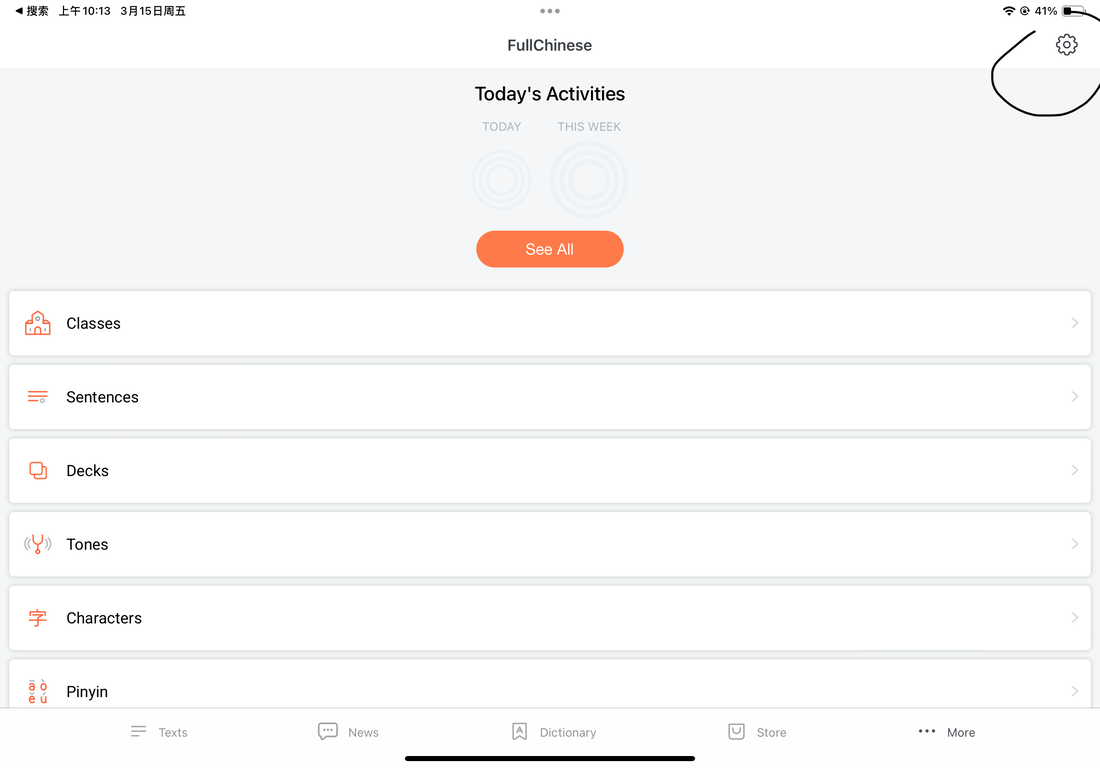
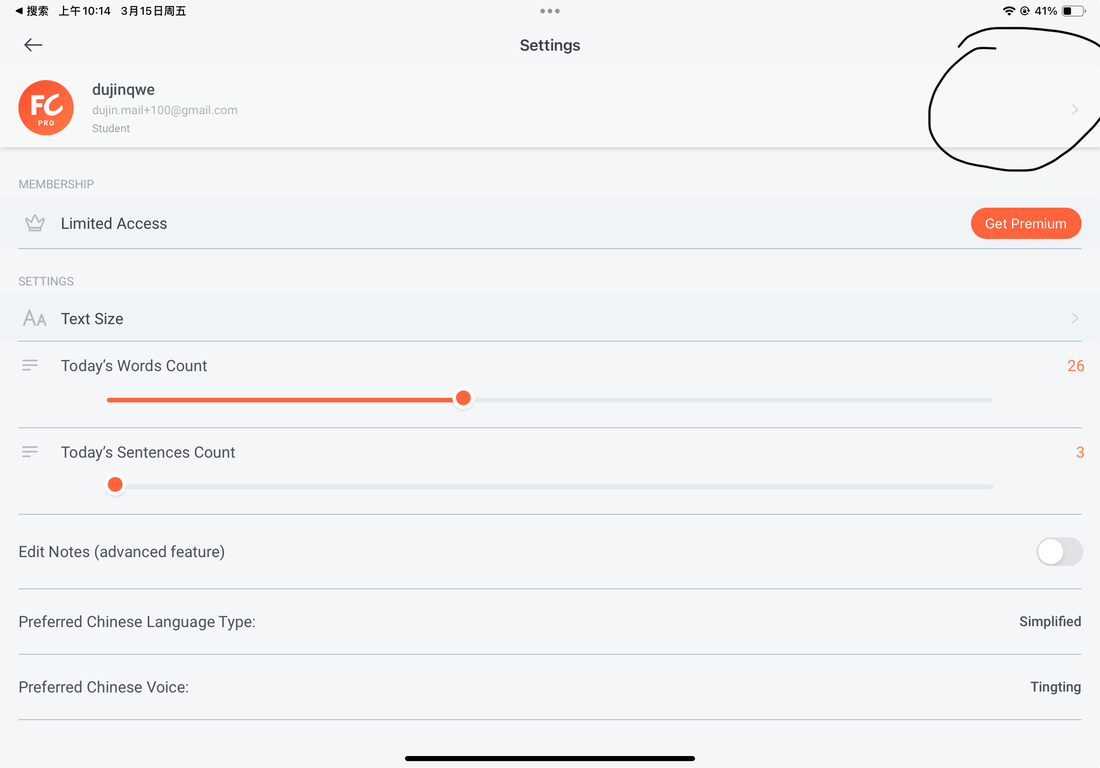
- Go to Settings on your iPhone or iPad
- Tap the user account email
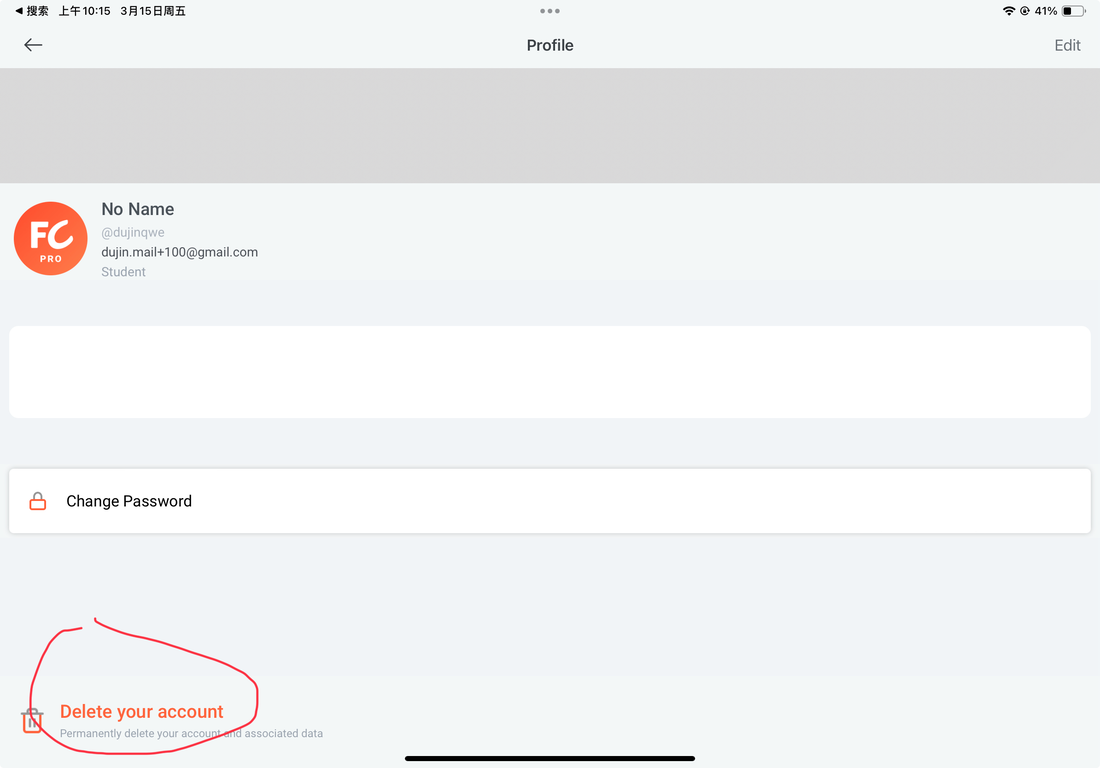
- Tap the delete account button at the bottom
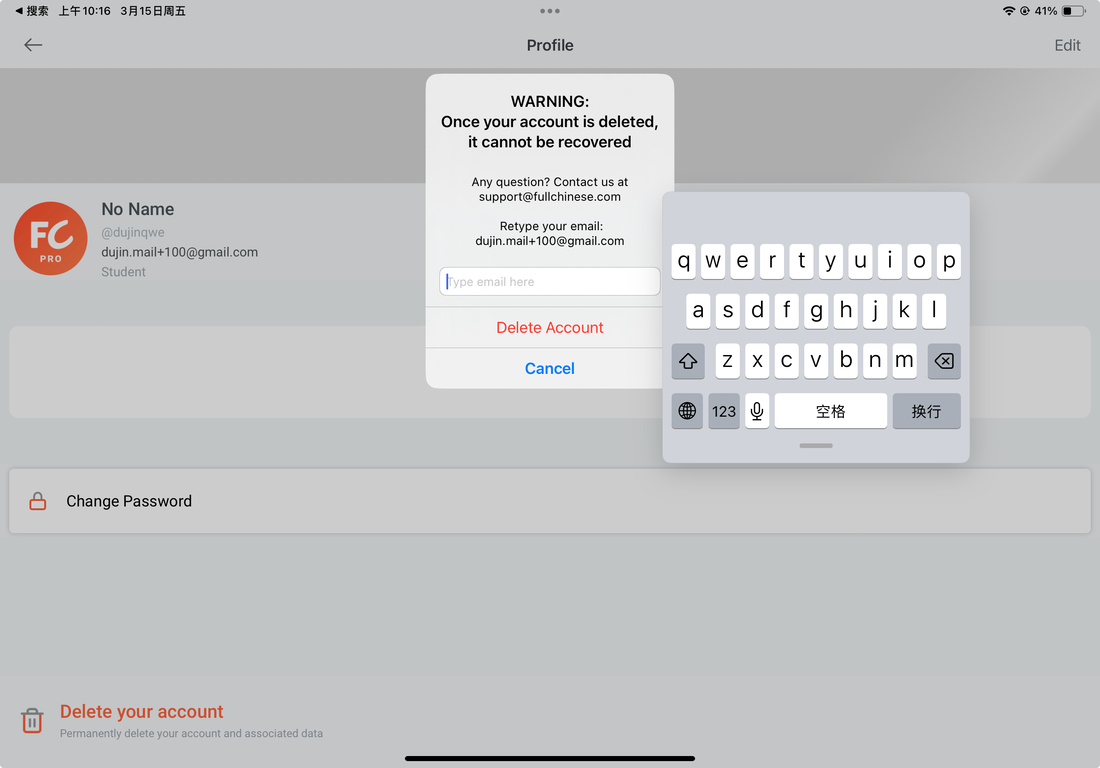
- input the email to confirm the delete.
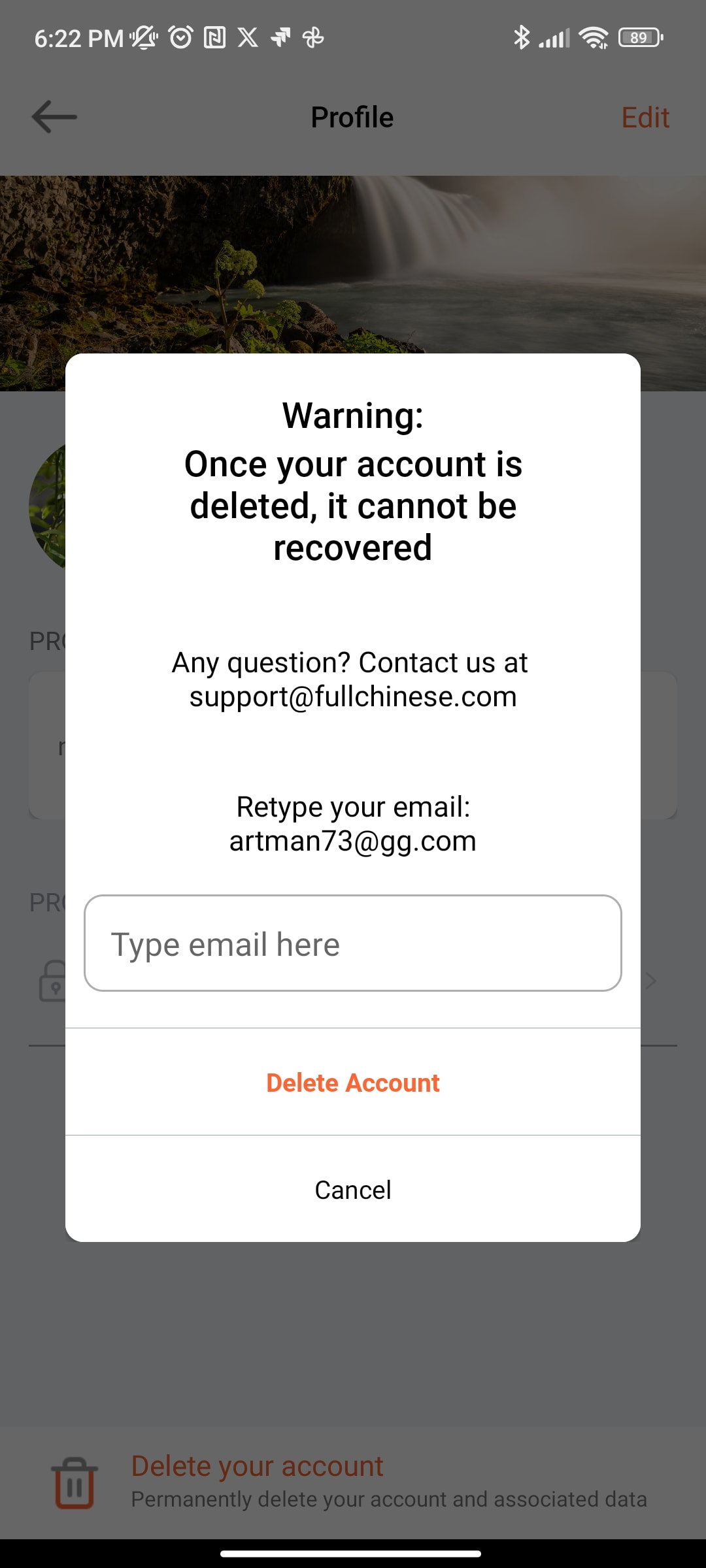
Delete Account from the Android App
From the Web
You can delete the account on the Website as described above and this will delete your account completely.
From inside the App
First go to Settings
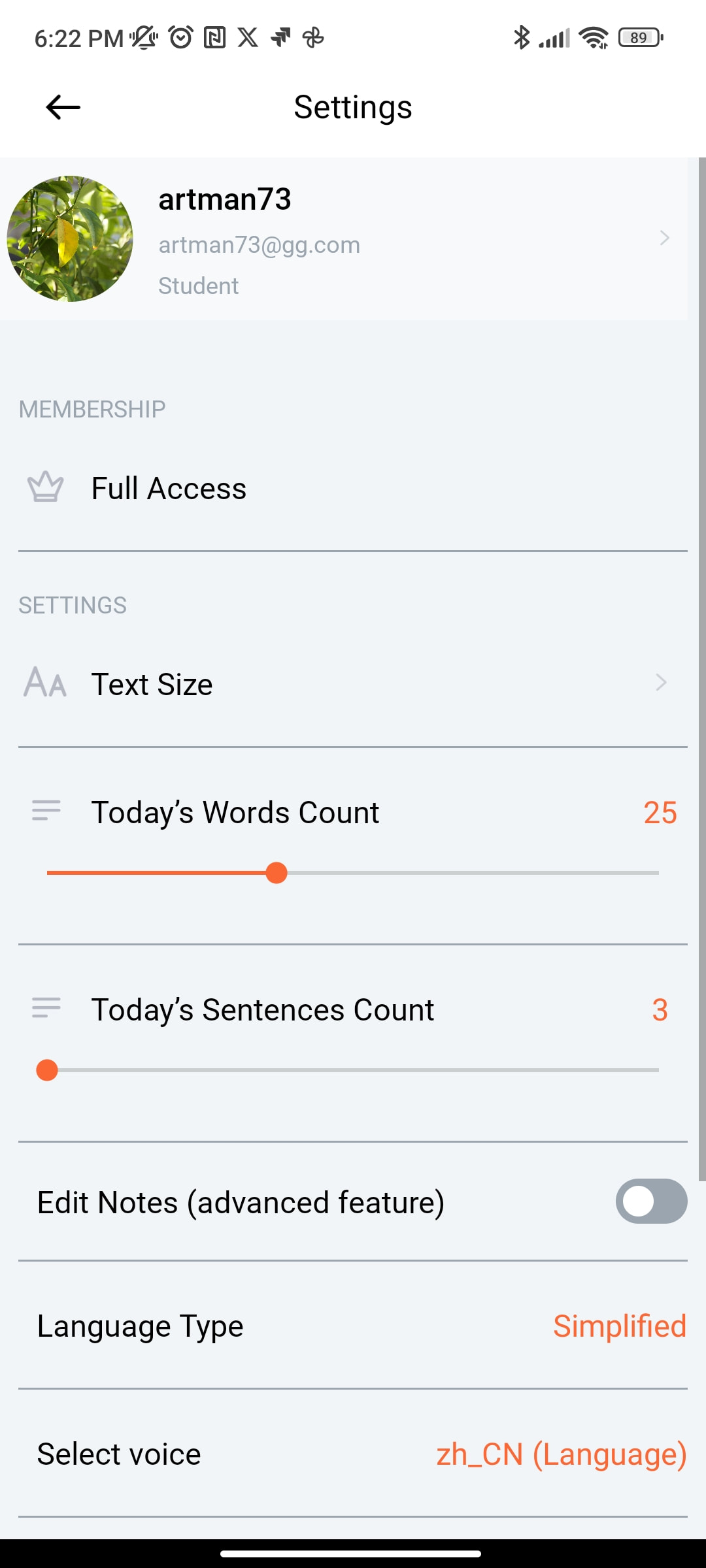
Click on your Name to access your Profile page:
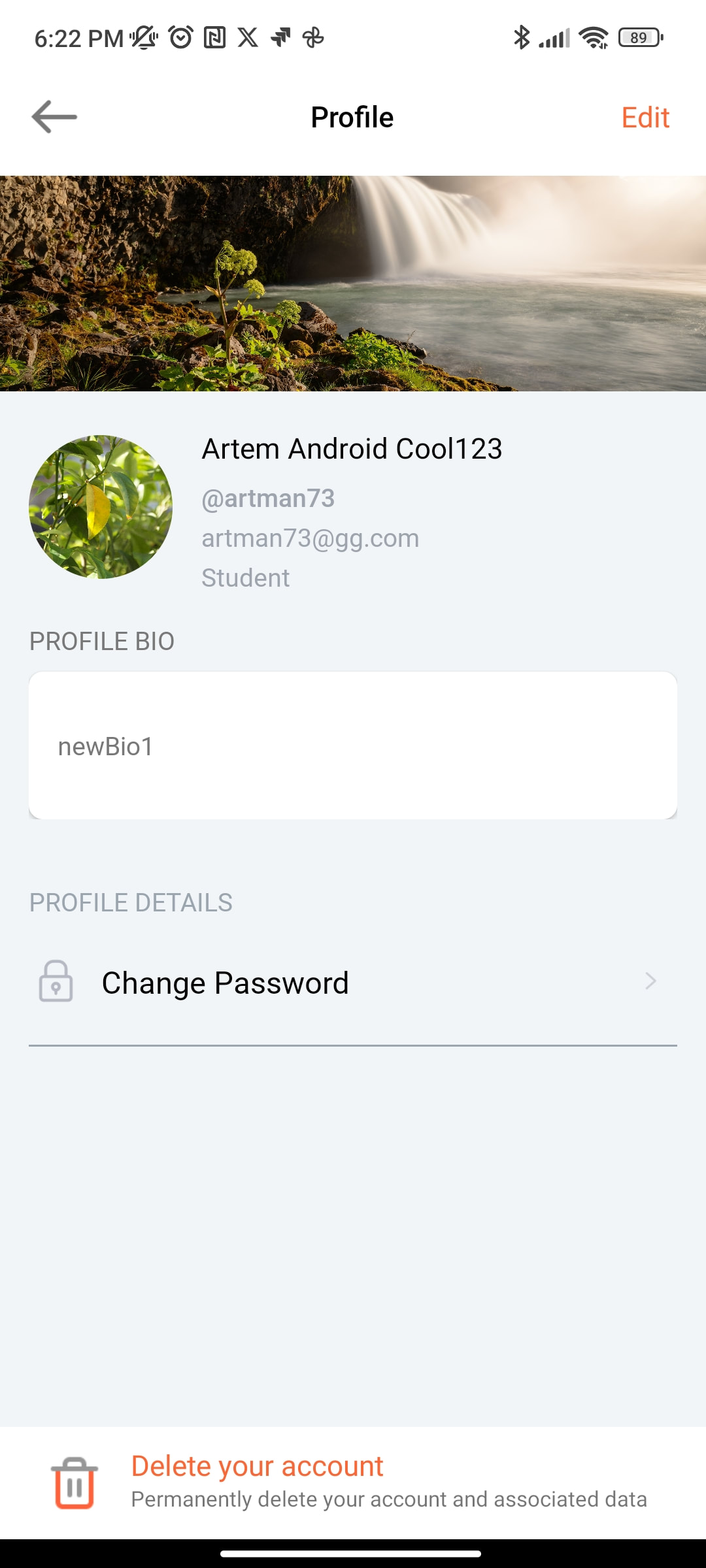
Click on "Delete your account"